Export GitHub Discussions to Your Repo with a Single Action
GitHub Discussions is a great place for community Q&A, announcements, and open-ended conversations — but all that content lives behind the GitHub UI. What if you want to version-control it, render it on a docs site, or use it as a knowledge base for GitHub Copilot?
I was working on a real use case where GitHub Discussions was used as the central place for all documentation in the org. The problem? GitHub Copilot can’t read Discussions — it can only work with files in your repository. So I built Discussion Exporter, a GitHub Action that fetches your repository’s Discussions and saves each one as a Markdown file with YAML frontmatter — directly into your repo. Once the docs live as files, Copilot can use them as context to answer questions and assist your team.
Why Export Discussions?
- Knowledge base for GitHub Copilot: Copilot can only reference files in your repo — exporting discussions makes your documentation available as context for AI-assisted development.
- Version control: Track changes to discussions over time with Git history.
- Static site integration: Use the exported Markdown files with Jekyll, or any static site generator.
- Backup: Keep an offline copy of your community discussions.
- Search and analysis: Grep through discussions locally or build custom tooling on top of the exported files.
How It Works
The action uses GitHub’s GraphQL API to fetch discussions, then converts each one into a Markdown file with metadata in the frontmatter:
1
2
3
4
5
6
7
8
9
10
11
---
number: 42
title: "My Discussion Title"
author: octocat
category: Q&A
url: https://github.com/owner/repo/discussions/42
created: 2025-01-15
updated: 2025-03-01
---

Discussion body content here...
Files are named {number}-{slug}.md — so discussion #42 titled “My Discussion Title” becomes 42-my-discussion-title.md.
Getting Started
Add this to a workflow file in your repository:
1
2
3
4
5
6
7
8
9
10
11
12
13
14
15
16
17
18
19
20
21
22
23
24
25
26
27
name: Export Discussions

on:
  workflow_dispatch:
  schedule:
    - cron: '0 0 * * *' # daily at midnight

permissions:
  contents: write

jobs:
  export:
    runs-on: ubuntu-latest
    steps:
      - uses: actions/checkout@v4

      - uses: RehabAbotalep/discussion-exporter@v1
        with:
          token: $

      - name: Commit and push
        run: |
          git config user.name "github-actions"
          git config user.email "github-actions@github.com"
          git add docs/
          git diff --cached --quiet || git commit -m "$(date +%Y-%m-%d) - Export discussions to Markdown"
          git push
Discussion Exporter in action
The only required input is token — a fine-grained personal access token with read:discussion permission. The default GITHUB_TOKEN doesn’t include this scope, so you’ll need to create a PAT and store it as a repository secret.
Creating the Token
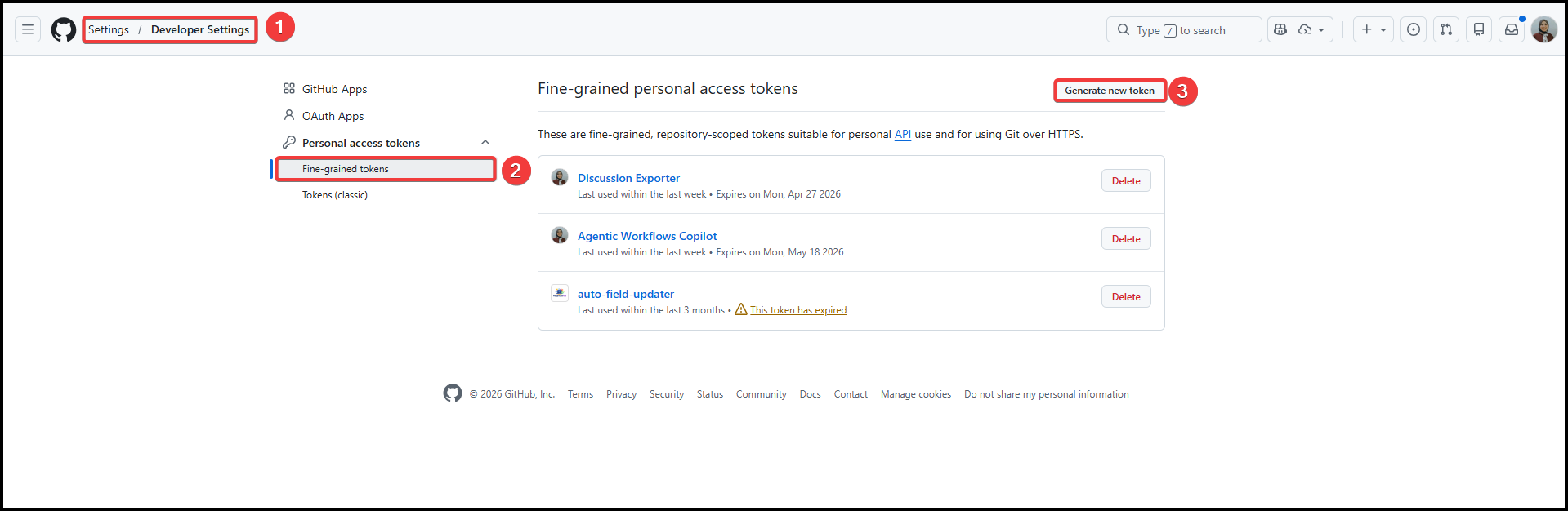
Go to Settings > Developer settings > Personal access tokens > Fine-grained tokens and click Generate new token.
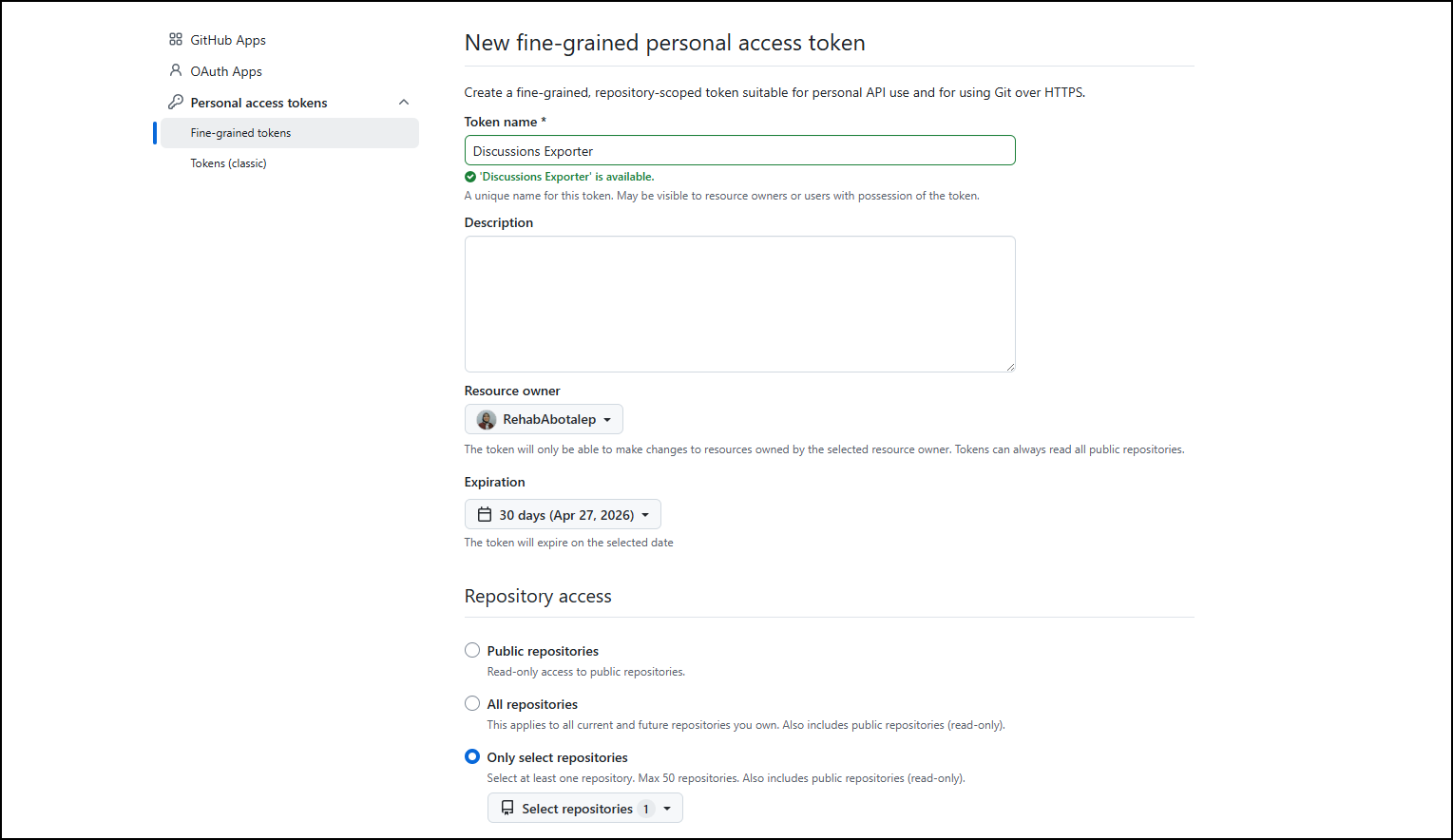
Enter a Token name, select the Resource owner, set an Expiration date, and under Repository access, choose Only select repositories and pick the repository you want to export discussions from.
Under Permissions, expand Repository permissions and grant
Discussionsread-only access.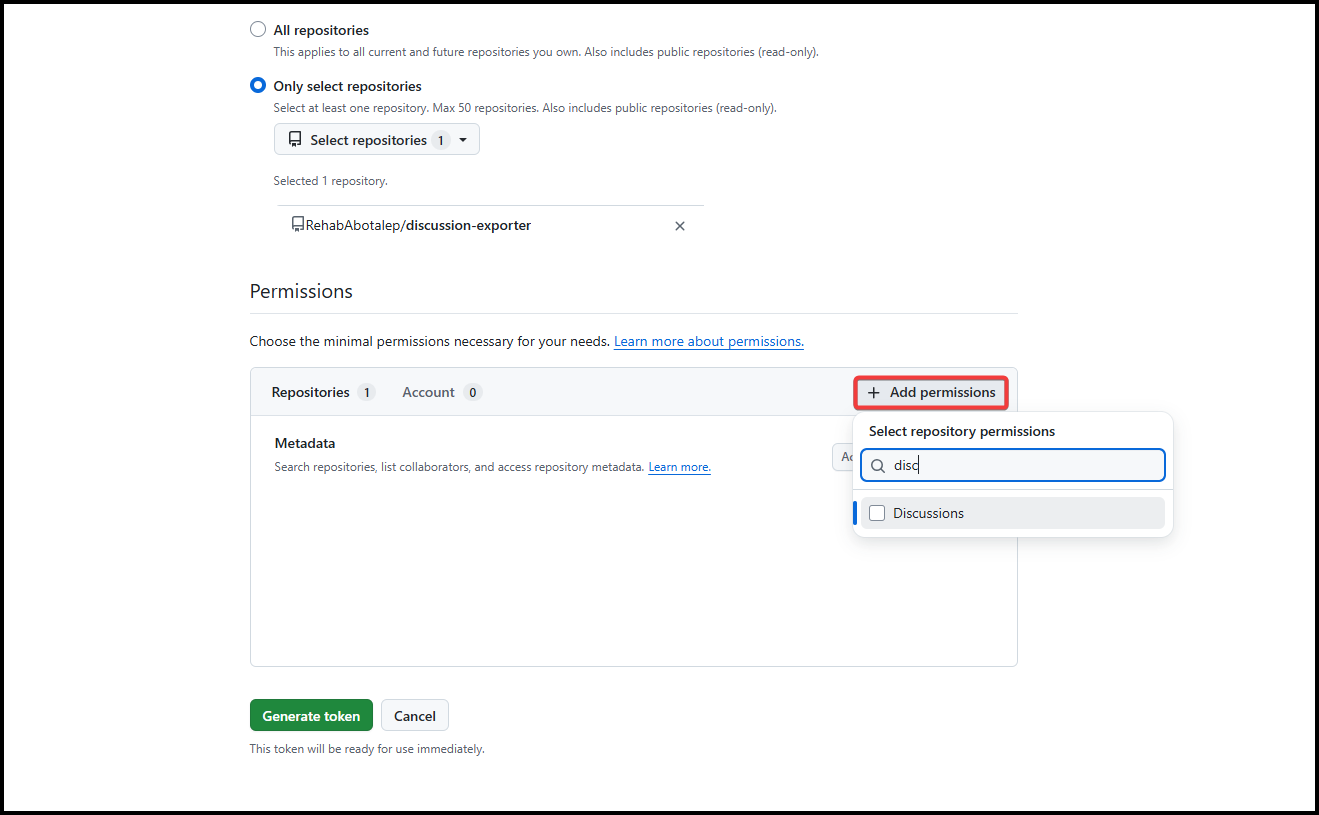
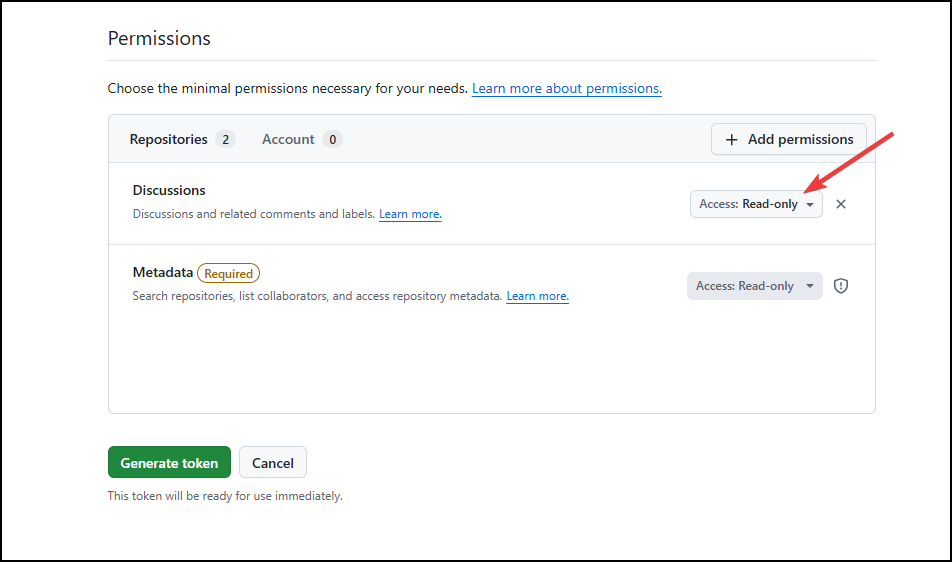
Click Generate token, copy it, and add it as a repository secret (e.g.
GH_PAT) under Settings > Secrets and variables > Actions.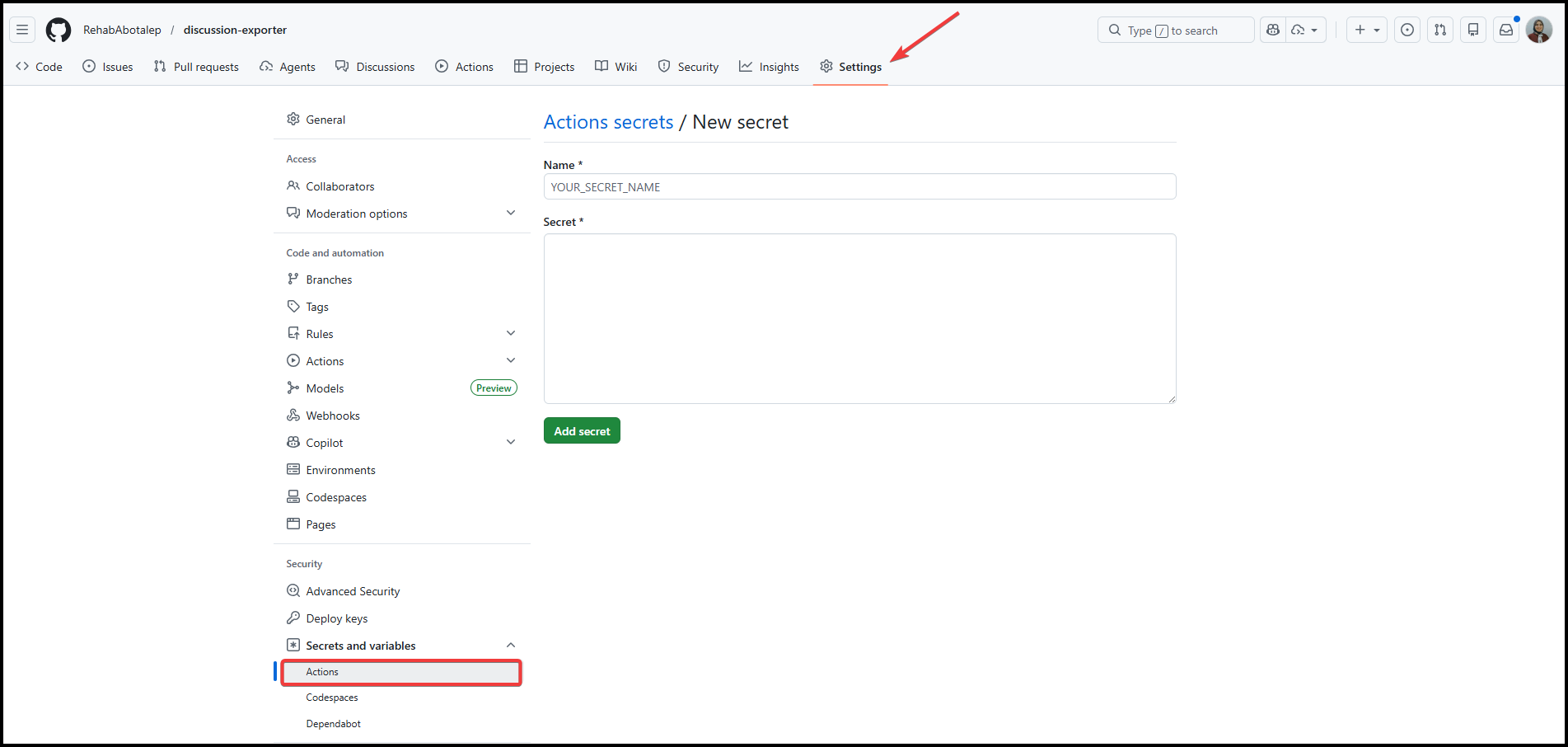
Configuration Options
| Input | Description | Default |
|---|---|---|
token | GitHub token with read:discussion permission | (required) |
output-dir | Directory to write files into | docs |
limit | Max discussions to fetch (paginated automatically) | 100 |
repository | Target repo in owner/name format | Current repo |
Safe to Run Repeatedly
The action is fully idempotent. Each discussion maps to a deterministic filename, so re-running the workflow overwrites existing files in place — no duplicates. If nothing changed, the commit step is skipped automatically.
Try It Out
The action is available on the GitHub Marketplace. Give it a try and let me know what you think!